I’ve also got a 404 from that URL. I’m fro Latam, Argentina.
Tks Danika, I’ll wait until tomorrow to try to sync.
the same error here. I’ll try again tomorrow
same issue here, in south florida.
Putting this here to log this & give a bit more data - I am also having the same issue since this morning 7 Jan. Am in Singapore. Have never encountered this previously! I’m hoping it will resolve on its own, and will update if it does.
-
When I tried to sync Ankidroid (on a Google pixel phone, on wifi) to Ankiweb, this error message appears: “a network error occurred. Error details error sending request” - and can’t do anything else.
-
I deleted my Ankidroid app (has antivirus) and re-downloaded it onto my phone. At the opening screen after keying in my user ID/pw, I typed “sync from Ankiweb” and the same error message appeared. Tried this using both home wifi and mobile network - but same issue persists
.
-
I got onto my laptop (no antivirus), where the official anki app is installed, and try to sync - and the same error message appears
-
I’ve downloaded WINMTR to see if there is a packet loss issue. It’s still running…but seems like there is some?

Not sure I want to introduce more variables to my problem with manual transfer - so I’ll just wait and see as suggested!
Thanks for taking the time to read all these posts in the thread. Must be rather overwhelming. Hope it helps to know that 99% of the time we’re having a great time on Anki  @Danika_Dakika
Hello everyone!
I just wanted to say that I am running into the same issue. I am based in NYC, and I have been encountering this problem since this morning.
Exact error message:
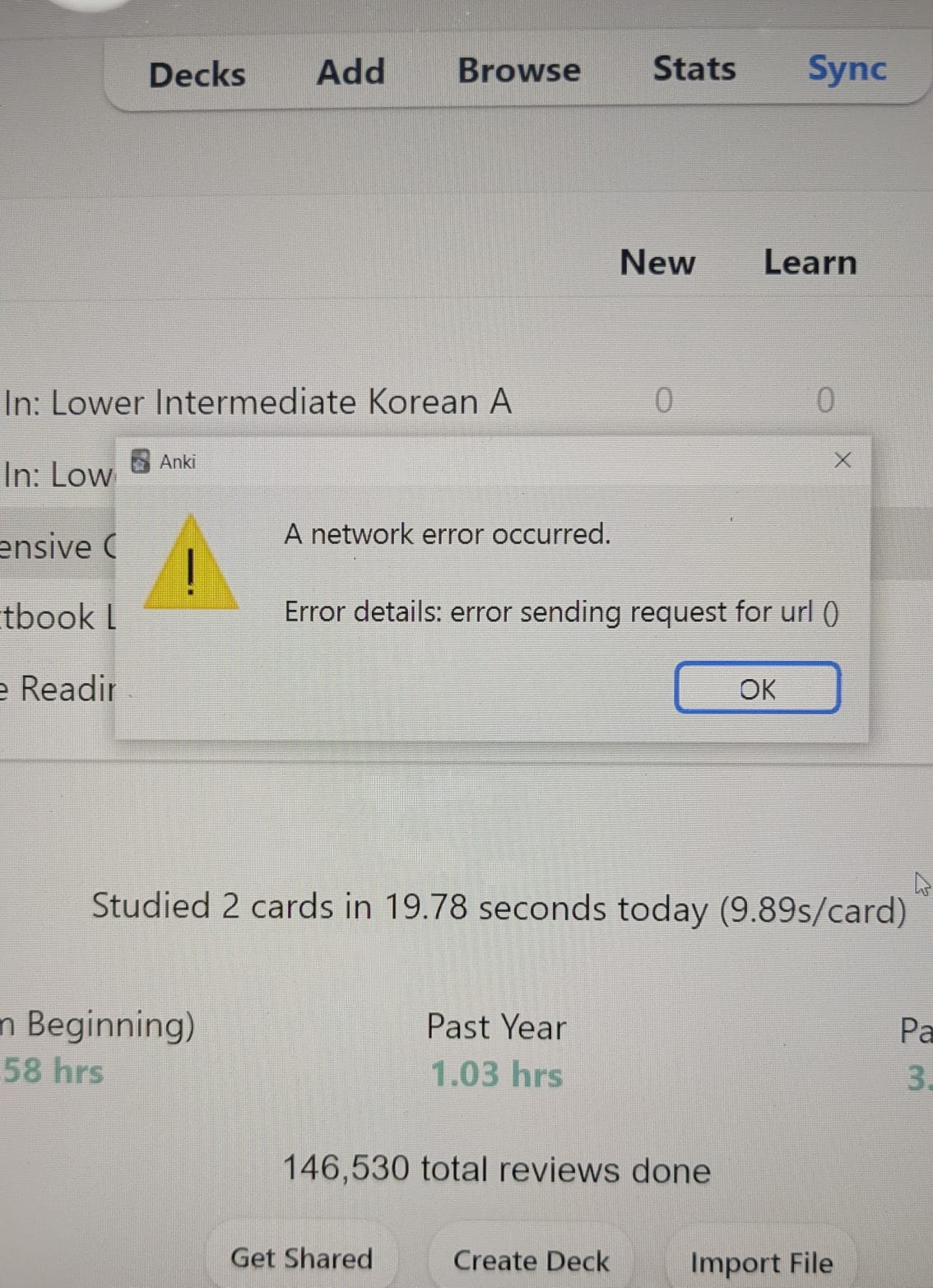
“Error. A network error occurred. Error details: error sending request for url ()”
Key details:
-
Occurs on multiple devices (desktop Anki + AnkiMobile on iOS)
-
Occurs on multiple networks (home Wi-Fi and cellular)
-
I can log into AnkiWeb successfully via browser
-
I am running the latest stable versions of Anki on all platforms
-
Logging out/in, reinstalling, disabling VPNs/firewalls, checking system time, launching in the safe mode, and other standard troubleshooting steps did not resolve the issue
I hope that this problem is able to resolve on its own in a timely manner, but I will keep an eye out for any manual solutions. At the very least, I hope that my own attempts to solve this problem can assist in diagnosing the cause.
Thank you to the Support Team in advance for working to improve the situation!
+1 on NYC location. Started today around 4:30 pm (12/6).
Doesn’t work on iOS, Linux OS (Desktop), and Windows OS; multiple networks; ankiweb works; no firewalls.
Based off of previous replies this seems to be Anki servers blocking traffic rather than user issue. Perhaps services used by Ankiweb like cloudflare are inapproriately blocking out requests.
Yep, also based on NYC. Same issue here
Hi,
My Anki sync fails instantly with “A network error occurred – error sending request”.
Details:
-
Happens immediately (~0.5 seconds)
-
macOS desktop (latest Anki)
-
iOS AnkiMobile
-
Multiple networks, VPN on/off
-
Add-ons removed
-
Database checked
I can access https://ankiweb.net normally (curl works, website loads).
Could you please reset or repair my AnkiWeb sync state?
Thanks!
I’ve also got a 404 from this URL. And I can’t sync Anki laptop + AnkiMobile on IOS, but I can log in my AnkiWeb without any problem. It started about a few hours ago (07/01/2026). Hope this problem will resolve soon. I’ve been using Anki for about a year, but I’ve never encountered this before
Same issue here in MN. Hope they fix this
The problem seems to be with sync28 (dot) ankiweb (dot) net. Its SSL certificate is expired.
$ echo | openssl s_client -servername ``sync28.ankiweb.net`` -connect ``sync28.ankiweb.net:443`` 2>/dev/null | openssl x509 -noout -dates
notBefore=Dec 6 00:00:00 2024 GMT
notAfter=Jan 6 23:59:59 2026 GMT
I updated the SSL certificates weeks ago in preparation for this expiry, but it seems like the update failed to apply to one server.  Things should be working again now, and my apologies for the inconvenience this has caused to the affected users.
My sync still shows the same error, and I believe it is because something went wrong mid-sync and my Anki will refuse to restart the sync. Please help soon
Unfortunately still having the same error
Works for me now. Thank you for the quick resolution.
The server was just restarted, so an interruption is normal. If it’s still a problem 5 minutes from now, please post back again.
still having same issue
still getting the same error message.
Three servers were affected, and the other two have just been fixed too.