I think I got it. It might be a bigger problem than the card being repeated. @dae The card is given actual review history on that second review – despite the filtered deck having rescheduling turned off.
Reproduced, following the below steps (with multiple Learn cards).
Anki 23.12.1 (1a1d4d54) (ao)
Python 3.9.15 Qt 6.6.1 PyQt 6.6.1
Platform: Windows-10-10.0.22621
All add-ons disabled
FSRS Enabled (but OP was using default algorithm)
I also verified that Review cards in the same filtered deck are handled correctly.
That card info makes it look like –
- you studied the Learn card in the filtered deck with rescheduling-off
- graded Easy, which moved it back to its home deck with no change to the scheduling
- you studied it in its home deck (while it was still in Learn)
- graded Easy, which graduated it to Review.
What you actually did was –
- you studied the Learn card in the filtered deck with rescheduling-off
- graded Easy, which kept it in the filtered deck as a Learn card
- then it was immediately shown to you again
- you studied it again in the fltered deck
- graded Easy, which moved it back to its home deck and graduated it to Review
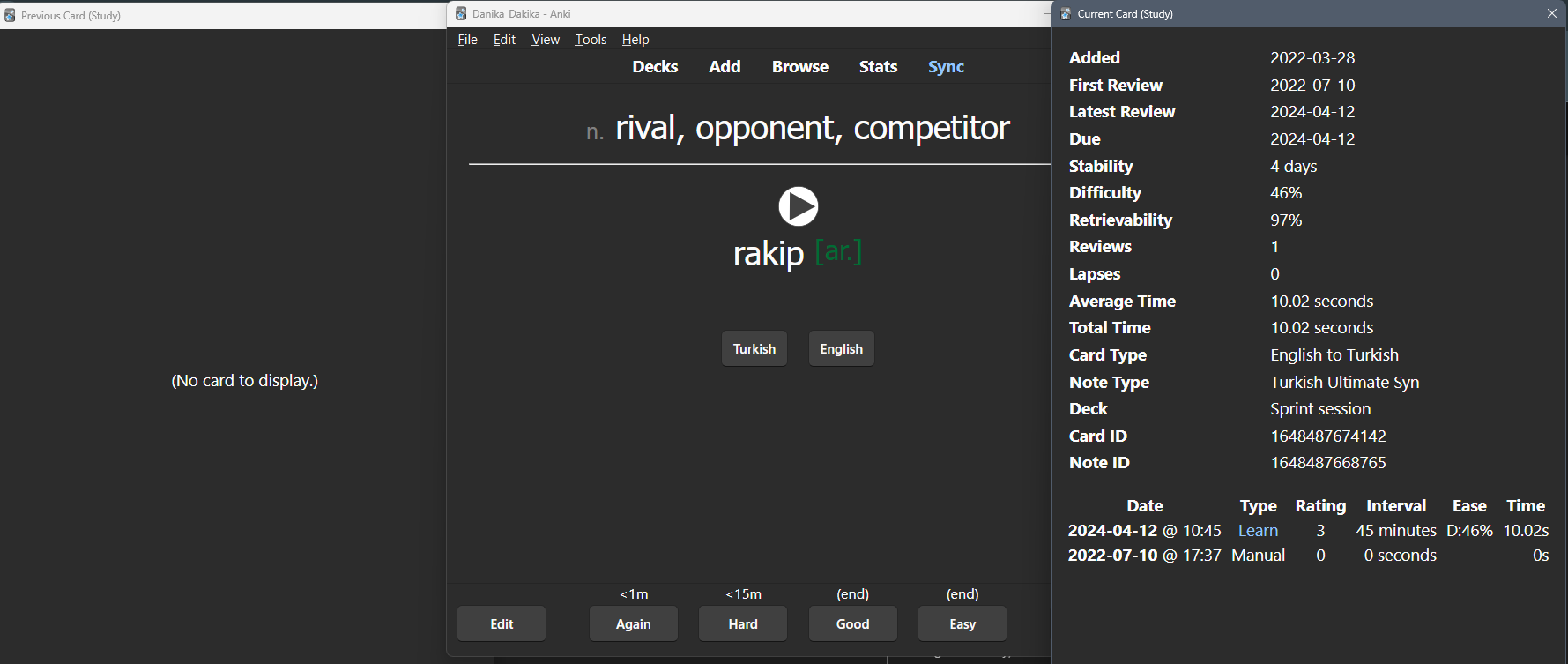
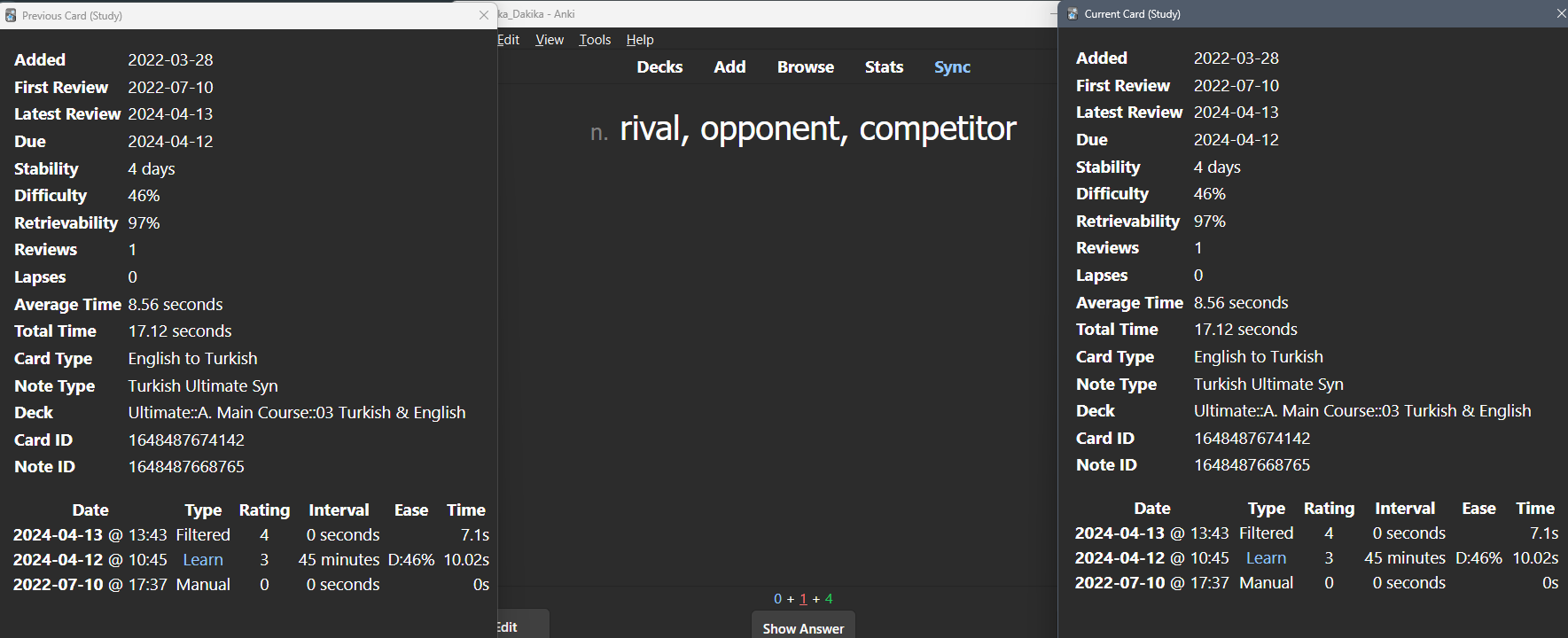
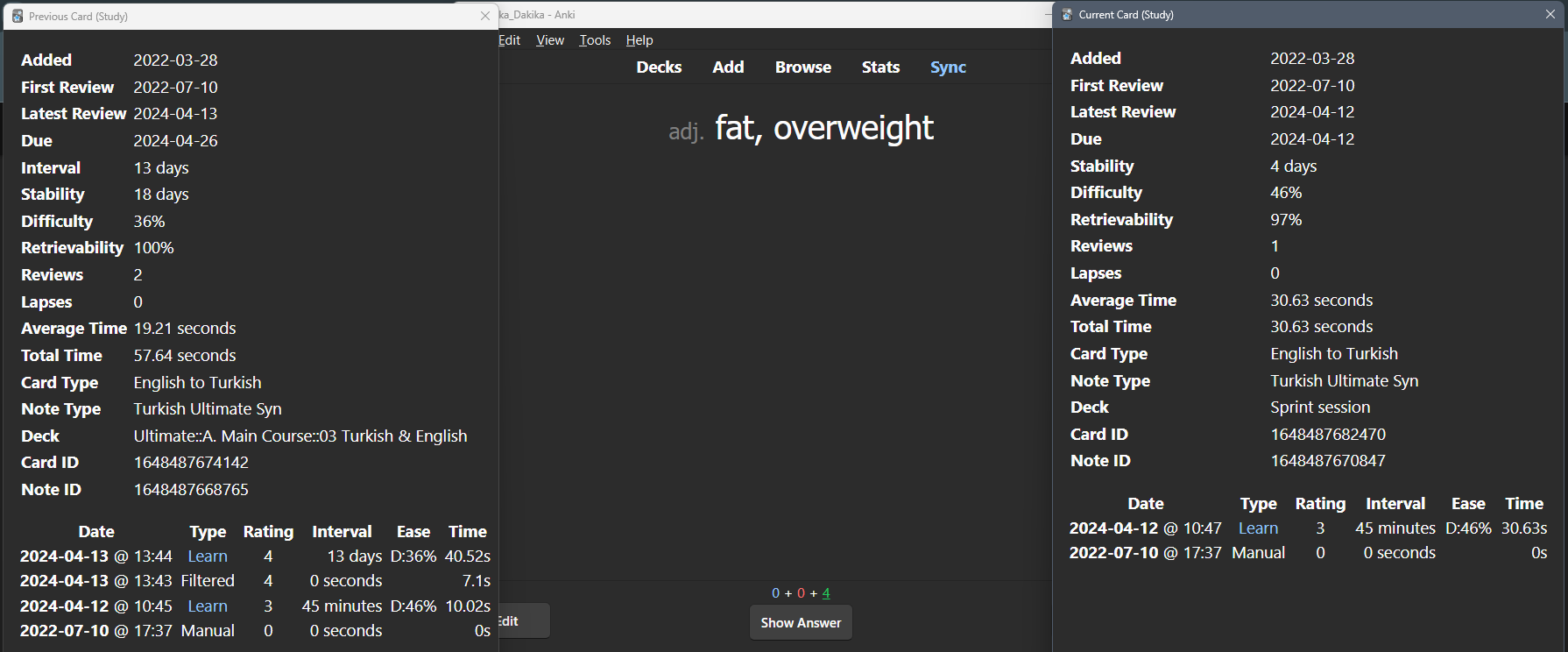
Ex. 1: “rival” – showing Prev Card Info on the left, and (current) Card Info on the right.
Buttons are correct on the 1st showing, but grade of Easy keeps the card in the filtered deck and makes it a Learn card. Then the card is shown again immediately with the buttons it should have in a rescheduling-on filtered deck (or a regular study session), and grade of Easy is actually applied changing the memory state, interval, due date.

Filtered deck options –
