Hi,
So ive made a few different decks to help me study and alot of the images just pasted in under the question. When i use my tablet the images dont show. I tried to browse the images but they dont show at all and just come up as long strings of text. I just want to be able to use ankidroid on my tablet as its easier to carry around compared to a laptop or PC.
I have synced it so many times and ive been in all the settings to see if theres anything that might be turned off but i cant see anything?
Any help would be appreciated, Thank you 
First see: Media files may take time to sync - Anki FAQs
-
If you’re sure that you’ve synced enough for those images to get from your computer to AnkiWeb – are you sure you’ve synced enough for the images to reach your tablet?
-
Have you tried running Check Media on both devices to see what the differences are in “missing” files?
- Desktop Anki – Tools > Check Media
- AnkiDroid – 3-dots menu > Check > Check Media
- Run it again after each sync to see if the numbers are getting closer together
-
Double check that you’re syncing both devices with the same AnkiWeb account.
- Desktop – Tools > Preferences > Syncing – also see that “sync audio and images too” and “periodically sync media” are enabled.
- AnkiDroid – Settings > Sync – also see that “Fetch media on sync” is enabled.
If that all looks correct – can you show us an example of the “long strings of text” you’re seeing in AnkiDroid, and where you’re seeing that? A screenshot will probably help, if you’re having trouble describing it, but please give us the text as text too –
```
in a codeblock (by putting backticks above/below it like this).
```
Hello,
I have definitely left it long enough syncing - I left it for hours and it was still saying complete.
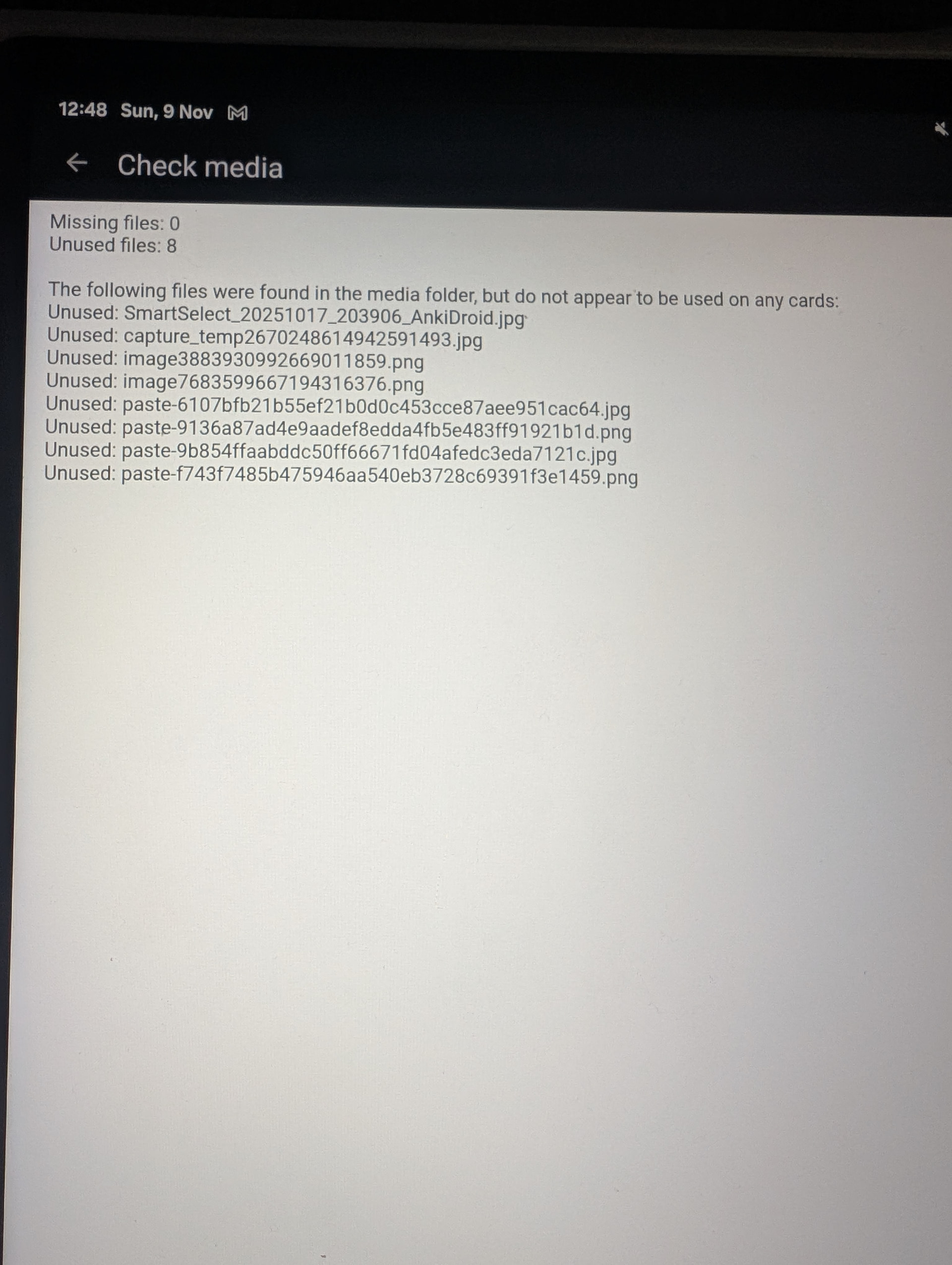
I have done a media check and the attached image is what it comes up with.
On the desktop anki they are in the flashcards when I browse just not showing up on the actual cards.
I have also attached a screenshot of what I mean by string of text.
I only have one anki account and they are all synced to the same one 
Hope this helps
Lola
That paste-....jpg “string of text” is the filename of the attached image. There’s nothing unusual about that. The note editor in AnkiDroid only shows raw HTML, while on desktop and AnkiWeb, you would see the picture displayed in the editor. If the only difference you’re seeing between the devices is in Browse, I don’t think you have an AnkiDroid or syncing problem.
This sounds like you just have images attached in your notes that aren’t included on any of your card templates. When Anki makes a card from your note, it follows the instructions in the card template. If the card template doesn’t tell it to display the field with the image, you won’t see the image on your cards.