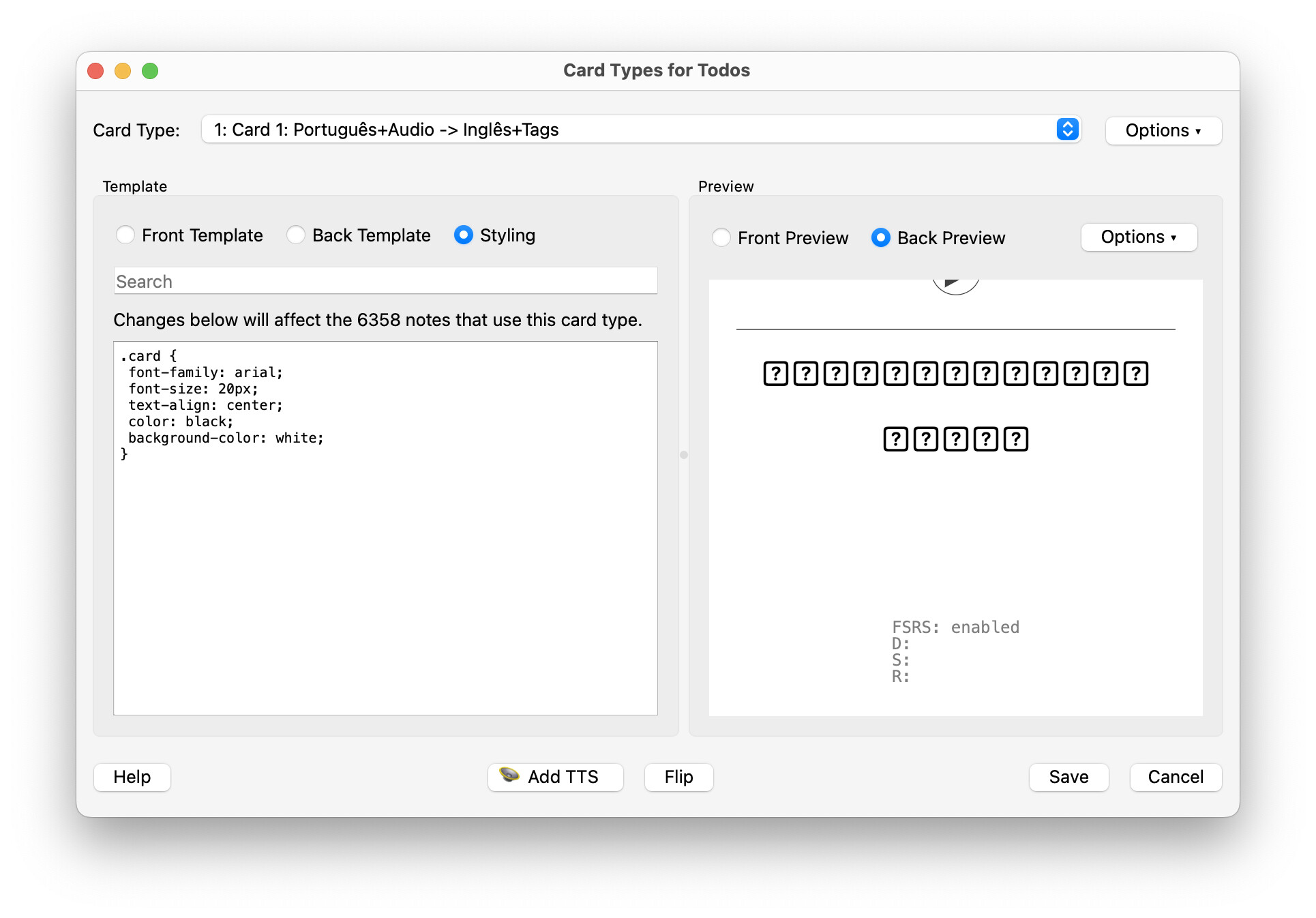
I updated apple os to the latest: Sequoia 15.7.1 then I can’t use Anki on MacBook because the characters on cards are all displayed as question mark in a square box.
I’m wondering if Anki is sending out a bug fix or that sort to fix this critical problem related to the latest apple ios?
Once you figure out what font changed and where it was coming from, you’ll have a better sense of what caused the problem. Anki is interacting with fonts just as it always has.
I had told others with this problem on a mac to change their font in the past, which had always solved the issue for them. So most likely, something is wrong with the Arial font (or whatever font mac uses to display / substitute for Arial).
What if you open an app like LibreOffice Writer (or similar) and try to type in Arial? Or if you reinstall Arial on your mac (no idea how, I’m a linux user)?
Edit: Also try AnkiWebView Inspector on your card and check what it uses in the “computed” tab. E.g. I get this:
Thank you for this fast and spot-on reply! I just used the MacOS Font Book app to firstly remove the problem Arial font files and then restore them (Settings | Advanced | Reset Fonts). Bingo! Everything fine again.
For some reason, all of my decks are showing both answers and responses as boxes with question marks. I can still copy/paste the boxes to Word, and everything shows up as it should, so the data isn’t lost. But I have no idea why the default font, Arial, wouldn’t be displaying correctly.
(Note as well that the arrow under “more” is a box too, is that important?)
Everything is fine on the home screen. It’s only in study mode that the problem happens.
I’m not sure what triggered this - perhaps a new OS on my Mac? It started on the prior version of Anki, and I upgraded but the problem has persisted.