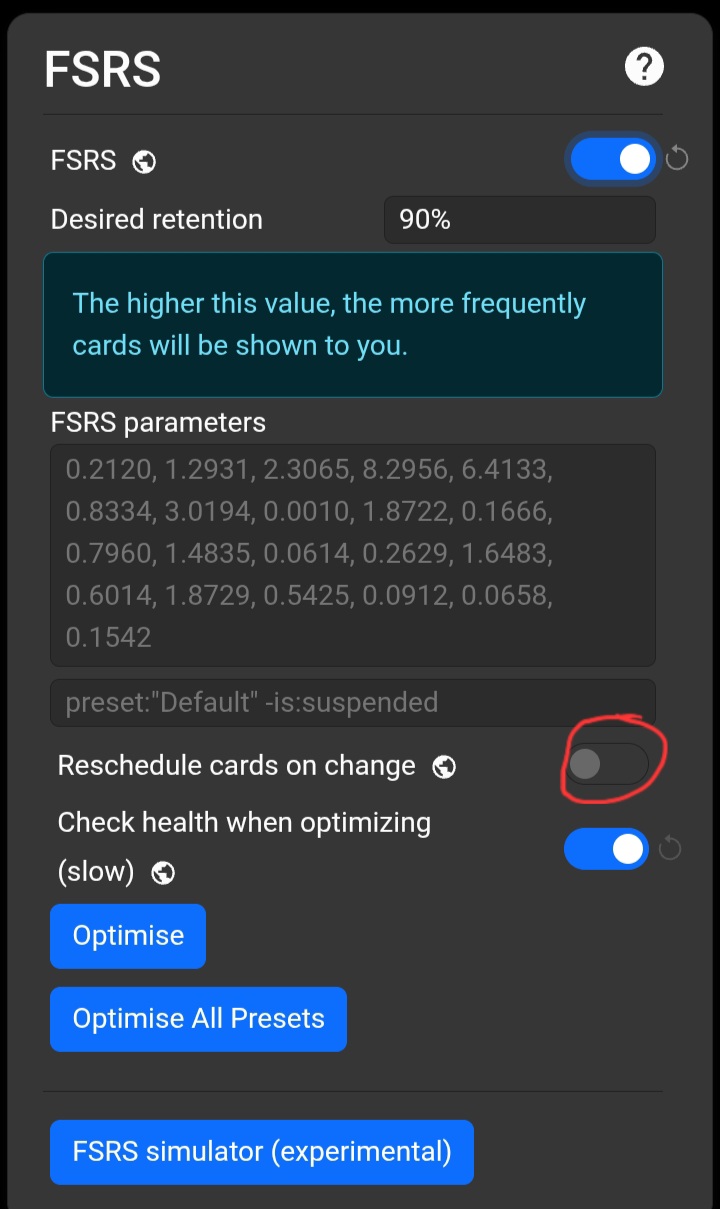
How to reset settings? (FSRS)

Help!

Before everything, sorry if this doesn’t make sense. I barely understand kinda how Anki works, and have no clue about the advanced settings.

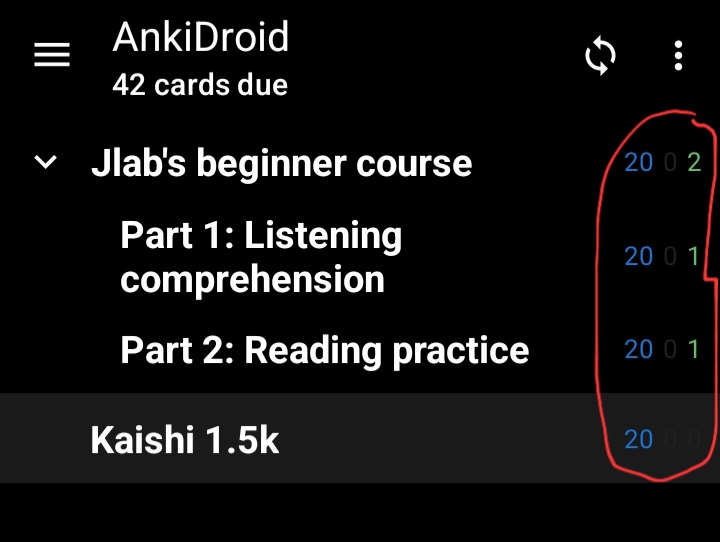
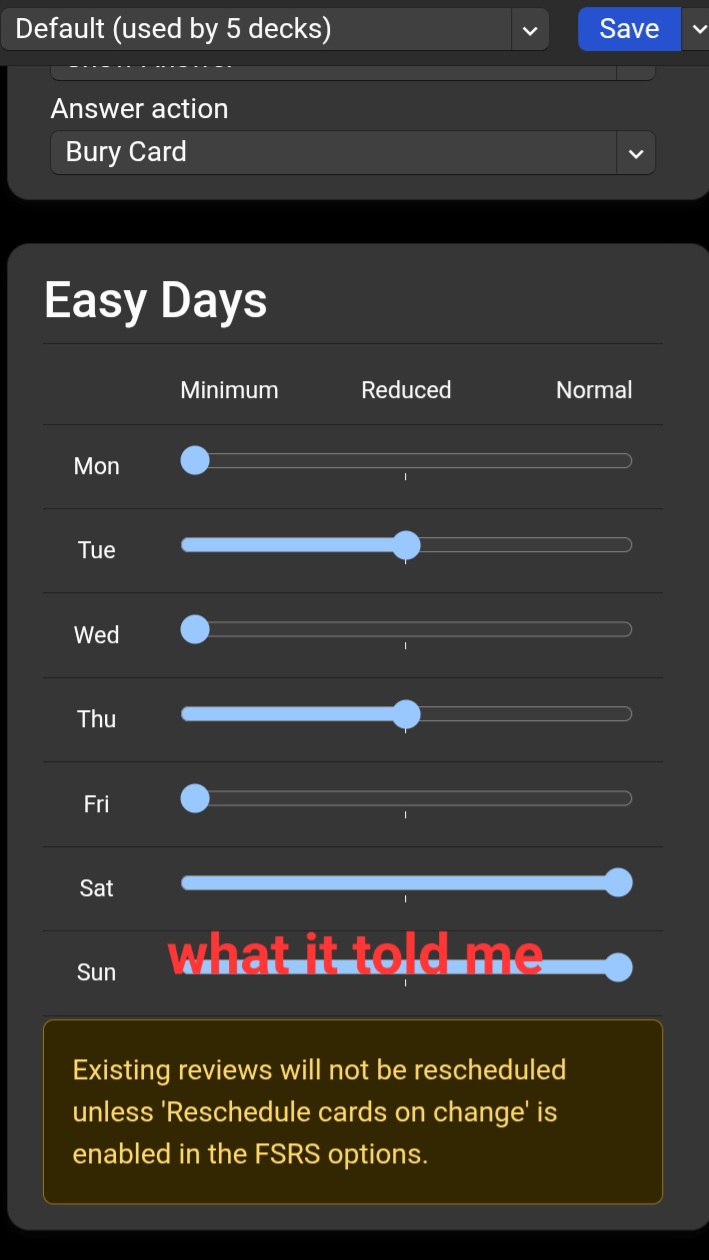
I was trying to reduce the load on some days so I put reduced and minimum on some days. It told me it wouldn’t reschedule right away unless I turned on FRSR and one of the options on there, I turned it on and saved the settings, it didn’t do anything, so I figured if I turned it off it would reschedule the next day. So the next day I open the app and the load is slightly more than usual, I felt lazy and didn’t feel like doing that much today, so I went to the settings again. I turned on FRSR and put minimum for this day. I saved the settings and checked my decks (2) and they were at 20 new cards each. 0 review cards for one of them and only 1 for the other.

I was kinda dumb and didn’t think minimum meant this. I realise now that I don’t want it to be at minimum gor any days, or reduced probably either. I tried to change the settings and turned off FRSR like 10 times, it didn’t fix anything (I would put all the days normal and turn FRSR on and off). Also something I thought was strange was that the Reschedule cards on change option would appear as turned off everytime I opened the settings again. I have no idea how to change my settings to what they were before or default since that’s what they were.
Thank you to anybody that reads this.

  • You see the loop next to toggles? You can tap on them to reset to the defaults.
  • Do not disable FSRS. FSRS is better despite not being the default.
  • Reschedule cards on change basically changes the due dates of all your cards to match the current settings. This can lead to a pile of cards suddenly showing up to review. That’s why it’s disabled each time you open the settings. (bad design, I agree!)
  • The easy days feature only applies to future reviews “unless ‘Reschedule cards on change’ is enabled in the FSRS options.” as it said in yellow. Basically, you won’t notice a difference until you use it for a while or enable ‘Reschedule cards on change’.
  • “Reduced” means you will have less reviews on that day. “Minimum” is even less (but not necessarily 0).

Thank you so much! Um I know I’m really dumb but what loop next to toggles? Sorry.

No problem.

It also adds an entry to the revlog for every active card every time you use it. As it warns you when you use it – if you use it at all, it should be sparingly.

I did it but it still hasn’t changed anything, the amount of review cards are higher today (20) but I’m pretty sure that’s just them building up since they’re usually at around 40-50

What did you do?

1 Like

The blue number indicates your new cards, not reviews. Your first screenshot says that you have 2 reviews (in green).

1 Like

I pressed the loop next to the toggles and reset it to its original value but it didn’t do anything

I don’t know what settings you were trying to restore, or what you were expecting to change when you restored them.

When you press that circle-arrow, you’ll see a confirmation box asking you if you want to restore that to default.

Click that. You’ll immediately see the setting change and the circle-arrow disappear (so you’ll know that changed). Then click Save to close the window.

This topic was automatically closed 30 days after the last reply. New replies are no longer allowed.