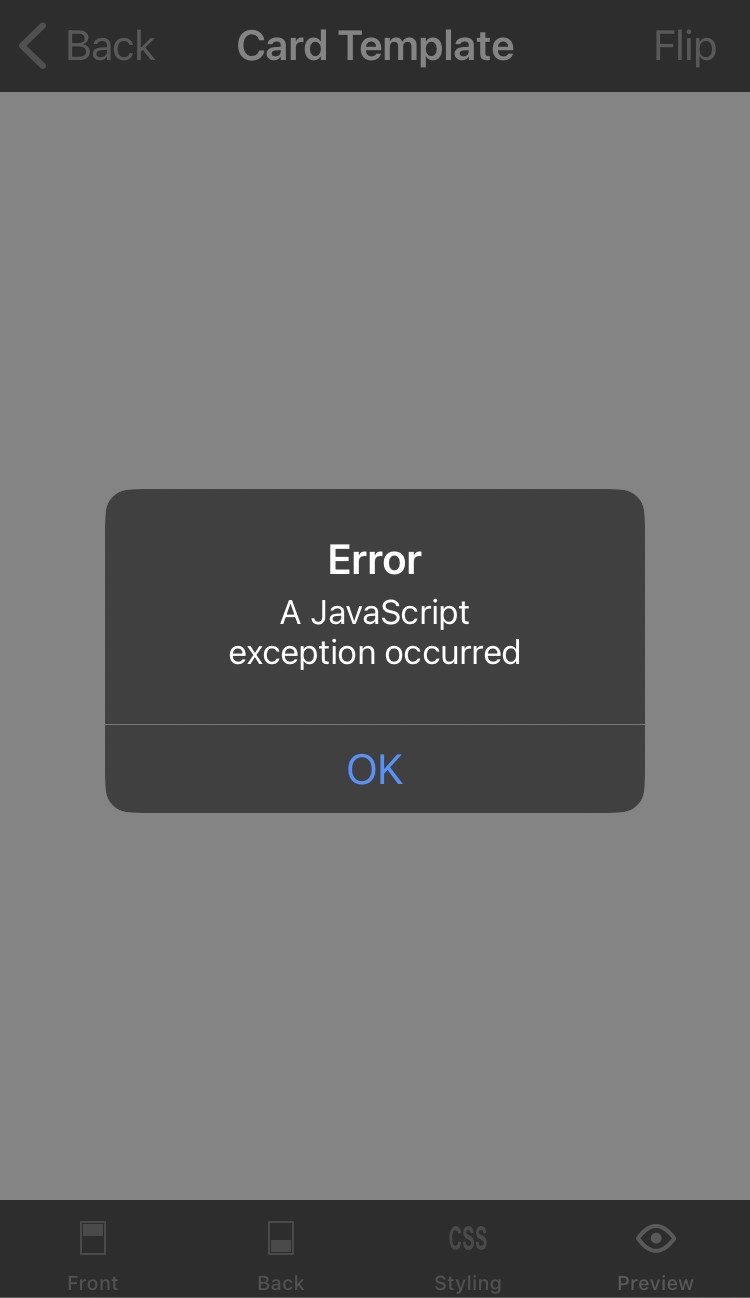
I apologise if this is a duplicate post: I searched the forum & haven’t found anything, but I may be using the wrong search terms.
If I edit the Card Template, navigate to Front, Back, or Styling, then tap Preview, things work as expected. If I remain within Card Template, navigate back to one of those first three categories, then return to Preview again, I get an error: **Error:** A JavaScript exception occurred. Thus, if I’m editing Styling, for example, & want to check back & forth on the effects of my CSS, I need to exit Card Template & re-enter after each round of edits. This error has been consistent since I began using AnkiMobile a year ago.
I am using AnkiMobile 25.02.02 on an iPhone 15 Pro Max running iOS 18.4.1.
I am able to reproduce this on AnkiMobile 25.02.2 [iOS 16.7.11]. Thanks for reporting it and thanks for posting such clear steps! @dae will let you know if there’s anything else he needs
I encountered a bug in AnkiMobile that I wanted to report. Here’s the sequence to reproduce it:
Open a note and go to “Card Template.”
Edit the code in the template.
Press “Preview” — it works correctly at this point.
Go back and press “Styling” to make further edits to the CSS (I am not sure if the issue persists when trying “Front” and “Back” as well; hadn’t checked)
Return to “Preview” — now an error appears:
Error
A JavaScript exception occurred
This seems to happen consistently after editing the card and trying to preview again once you’ve already previewed the card.