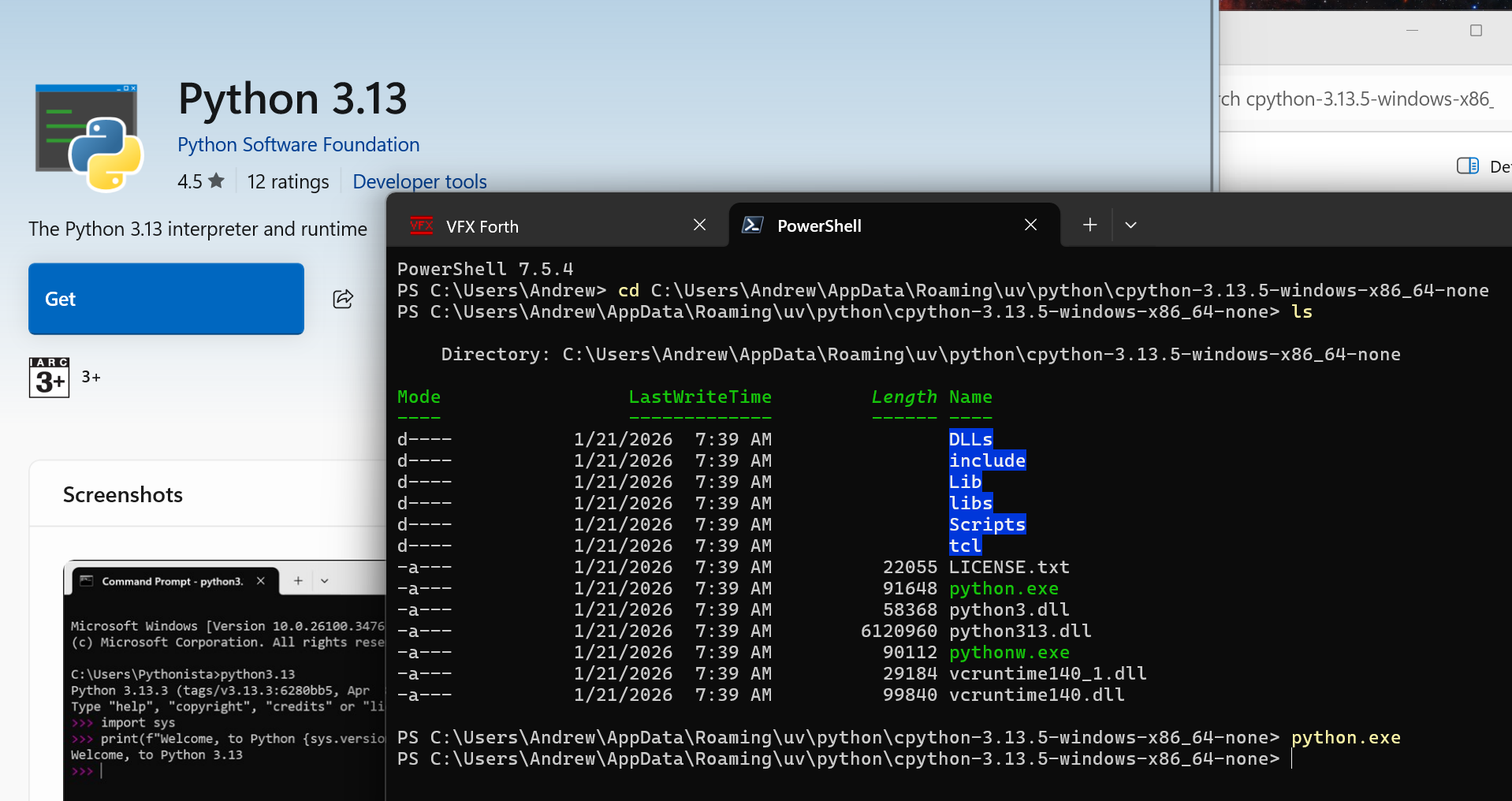
Hello, I get the following error when installing ANKI
Anki Launcher
Latest Anki (press Enter)
Choose a version
Allow betas: off
Cache downloads: on
Download mirror: off
Uninstall
1
Checking for updates…
Unable to check for Anki versions. Please check your internet connection.Error: Failed to run (2): C:\Users\Andrew\AppData\Local\Programs\Anki\uv.exe run --no-project --no-config --managed-python --with pip-system-certs,requests[socks] --python 3.13.5 C:\Users\Andrew\AppData\Local\Programs\Anki\versions.py: error: Querying Python at
C:\Users\Andrew\AppData\Roaming\uv\python\cpython-3.13.5-windows-x86_64-none\python.exefailed with exit status exit code: 1[stderr]
Fatal Python error: Failed to import encodings module
Python runtime state: core initialized
File “”, line 0
SyntaxError: source code string cannot contain null bytesCurrent thread 0x0000626c (most recent call first):
Press enter to close…
Here is my Windows: spec
Edition Windows 11 Home
Version 25H2
Installed on 30/12/2025
OS build 26200.7623
Experience Windows Feature Experience Pack 1000.26100.275.0
My computer is connected to the internet for sure, that’s how I posted this message!