Hello, new user here.
I’ve started using Anki last month and I am still learning the ropes. I use two Image Occlusion only decks since I need some help with learning anatomical nomenclature.
The deck I’ve downloaded is ~3000 items, the second one is being created by me and at the moment it sits at precisely 499 cards.
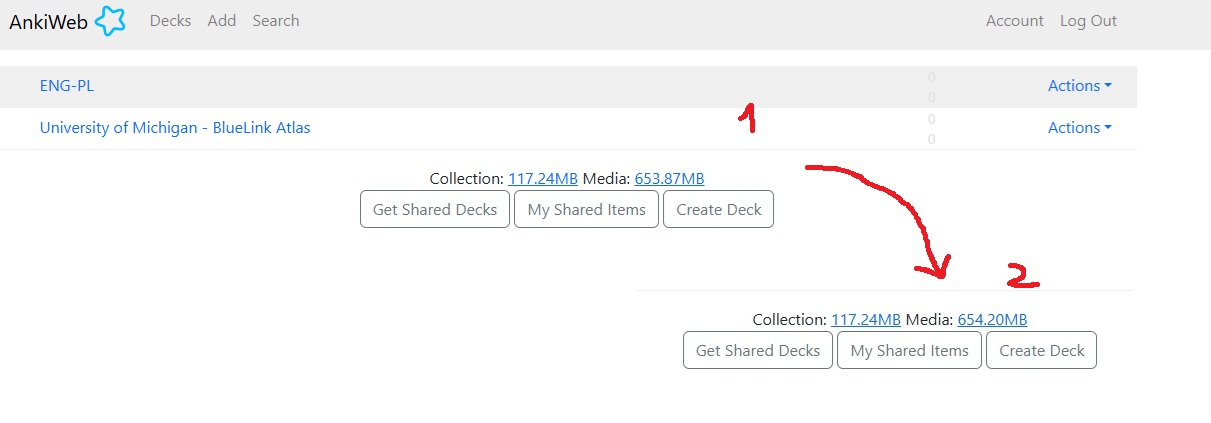
I use desktop version of Anki (for windows) but today I logged via browser and according to the website to my surprise I found out I am half way to reach my collection data limit of 250 MB. How the heck it is possible?
I did a test to see if the webpage is updating properly and added some I.O. cards and it seems to work since the size of my Media increased. I did Tools: Check Media and Database - no change in data used by my collection.
My question is - am I doing something wrong since I have already reached such a high number or should I just disregard this, don’t worry and continue adding cards and do my reviews until I actually hit the cap?
I’ve checked my Anki folder, and my collection.anki2 has less than 5MB, which actually makes more sense since I have around 5K total reviews, but it made me even more confused about how those numbers are calculated.
Hmm - I can’t offer any insights as to why, but I can confirm that this doesn’t happen for everyone.
I also have decks with media (audio in my case), and while AnkiWeb does show space usage for the media, the size it reports for the collection is < 7 Mb, similar to the size of collection.anki2 on my computer.
Whatever you end up doing to troubleshoot this, please be sure to export a full backup (with your learning history) first, just in case!
After that, you could try going to the “Sync” section in your Anki preferences, and checking the box for “On the next sync, force changes in one direction”. Then when you sync, a box will pop up asking which direction, and you can choose “Upload to Ankiweb” to force what’s on your computer to upload and fully replace (rather than updating) whatever is on Ankiweb. If the collection data on your computer really is only 5-6 Mb, replacing whatever is on Ankiweb with a fresh copy from your computer may make it similarly small.
But you might want to wait for a reply from a user called @Danika_Dakika before you try that. I believe they have access to look at peoples’ Ankiweb stuff and may be able to give you more information about what’s going on.
Having a different collection size on AnkiWeb and desktop is unusual, but not impossible. After the initial sync, Anki only syncs changes, so if you remove something large from your collection, that doesn’t necessarily change the size of the footprint right away.
If your devices are all fully synced, a one-way sync – as has been suggested – should take care of that. [You’ll need to receive that on your other devices with download from AnkiWeb.]
[I’d also say that 650 MB of media is a lot for a 5 MB collection, so when you ran your media check, did you “Delete Unused Media” too? That’s good periodic maintenance to do on your collection.]
Thank you guys for replying :D!
I tried the “sync only one way” solution and the problem resolved itself:
@Danika_Dakika - I did run Unused Media too, but “Blue Link Atlas” deck is around 650 MB since it has high quality photos of specimens and the Author saved them as .png, so they are around 700 - 900 KB each.
In Anki Desktop you can use Note Size addon to see more details about your collection and individual notes sizes
Thanks, I’ll keep this addon in mind - I think with time (in some months) I will start to “trim” my collection so it is neat and small and I’ll get rid of stuff I learned by heart.