impy
1
Hi,
- when I started anki, it did let me select the english (us english), and asked for confirmation.
- After that it showed me it encountered problems.
- After a restart (and each subsequent attempt to launch it) it immediately shows me the problem popup
- Trouble-shooting tips didn’t help
Here is the thing from the copy-button
Anki 25.09.2 (3890e12c)
Python 3.13.5 Qt 6.9.1 PyQt 6.9.1
Platform: Windows-11-10.0.26200-SP0

Traceback (most recent call last):
File “C:\Users<myusername>\appdata\local\AnkiProgramFiles.venv\Lib\site-packages\aqt\progress.py”, line 121, in handler
func()
~~~~^^
File “C:\Users<myusername>\appdata\local\AnkiProgramFiles.venv\Lib\site-packages\aqt\main.py”, line 231, in on_window_init
fn()
~~^^
File “C:\Users<myusername>\appdata\local\AnkiProgramFiles.venv\Lib\site-packages\aqt\main.py”, line 278, in setupProfileAfterWebviewsLoaded
self.setupProfile()
~~~~~~~~~~~~~~~~~^^
File “C:\Users<myusername>\appdata\local\AnkiProgramFiles.venv\Lib\site-packages\aqt\main.py”, line 330, in setupProfile
self.loadProfile()
~~~~~~~~~~~~~~~~^^
File “C:\Users<myusername>\appdata\local\AnkiProgramFiles.venv\Lib\site-packages\aqt\main.py”, line 515, in loadProfile
self.setup_sound()
~~~~~~~~~~~~~~~~^^
File “C:\Users<myusername>\appdata\local\AnkiProgramFiles.venv\Lib\site-packages\aqt\main.py”, line 628, in setup_sound
aqt.sound.setup_audio(self.taskman, self.pm.base, self.col.media.dir())
~~~~~~~~~~~~~~~~~~~~~^^^^^^^^^^^^^^^^^^^^^^^^^^^^^^^^^^^^^^^^^^^^^^^^^^
File “C:\Users<myusername>\appdata\local\AnkiProgramFiles.venv\Lib\site-packages\aqt\sound.py”, line 944, in setup_audio
mpvManager = MpvManager(base_folder, media_folder)
File “C:\Users<myusername>\appdata\local\AnkiProgramFiles.venv\Lib\site-packages\aqt\sound.py”, line 456, in init
super().init(window_id=None, debug=False)
~~~~~~~~~~~~~~~~^^^^^^^^^^^^^^^^^^^^^^^^^^^^^
File “C:\Users<myusername>\appdata\local\AnkiProgramFiles.venv\Lib\site-packages\aqt\mpv.py”, line 466, in init
super().init(*args, **kwargs)
~~~~~~~~~~~~~~~~^^^^^^^^^^^^^^^^^
File “C:\Users<myusername>\appdata\local\AnkiProgramFiles.venv\Lib\site-packages\aqt\mpv.py”, line 107, in init
self._start_process()
~~~~~~~~~~~~~~~~~~~^^
File “C:\Users<myusername>\appdata\local\AnkiProgramFiles.venv\Lib\site-packages\aqt\mpv.py”, line 136, in _start_process
self._job = win32job.CreateJobObject(None, “”)
~~~~~~~~~~~~~~~~~~~~~~~~^^^^^^^^^^
pywintypes.error: (123, ‘CreateJobObject’, ‘The filename, directory name, or volume label syntax is incorrect.’)
This looks like you’re installing Anki for the first time – is that right?
[1] Is this happening when you install the launcher – the file that you downloaded from our site?
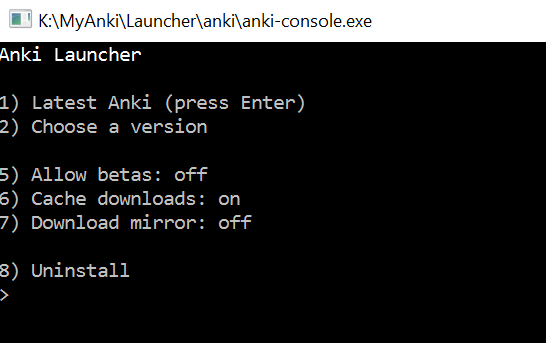
Or [2] is this happening after you have the launcher installed, and you select “Latest Anki” from the launcher menu?
Ex:
Or [3] is this after both of those things, when you start Anki from a shortcut?
abdo
3
Not sure what’s causing this for some users, but it’s tracked here and there’s an open PR: