Description:
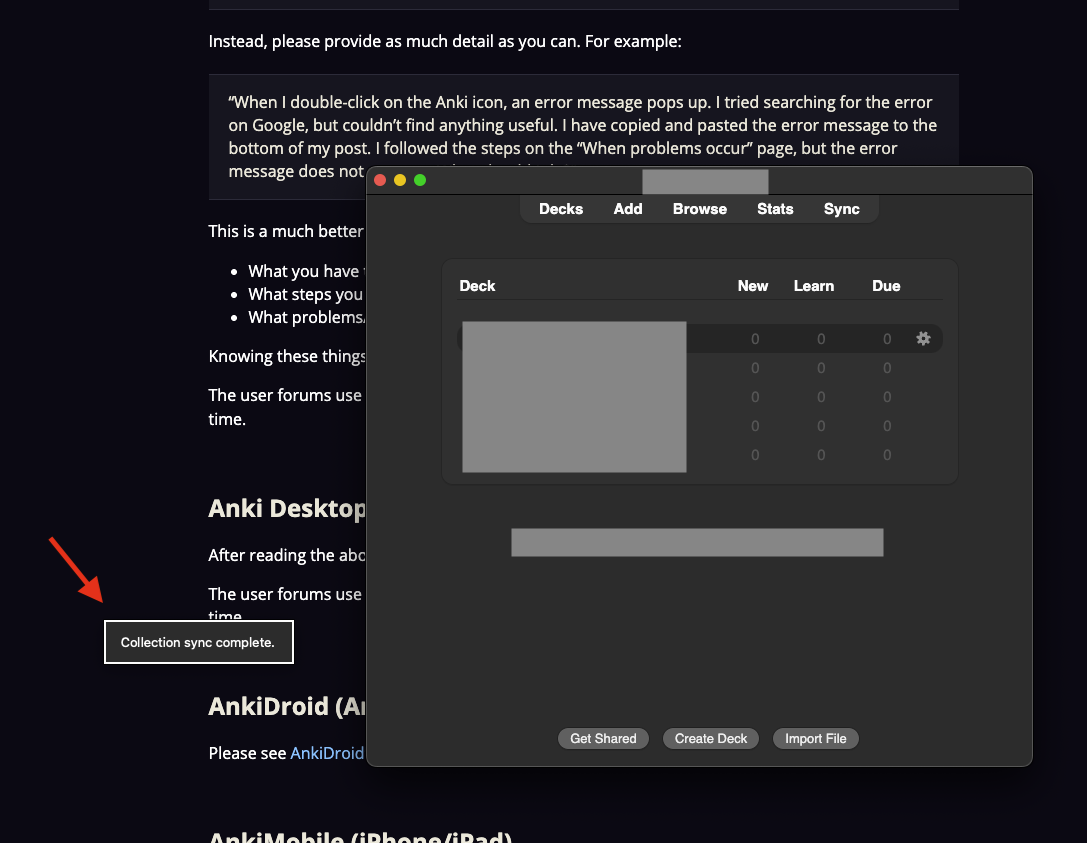
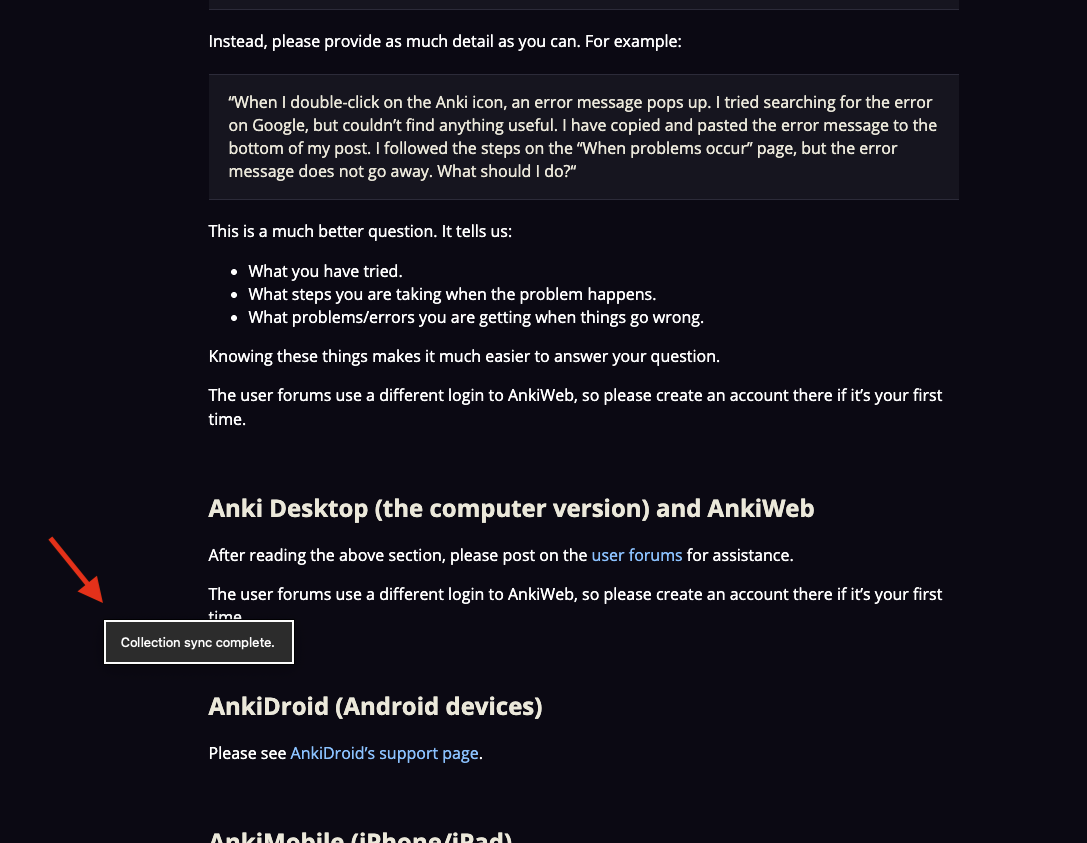
When performing a sync in recent versions of Anki, a popup message appears stating “Collection Sync complete.” However, if I switch to another application while this message is displayed, the popup remains visible and floats above other application windows, rather than staying within the Anki window or dismissing itself. This behavior is distracting and not consistent with standard UI practices.
Steps to Reproduce:
- Open Anki and perform a sync (or any action that triggers a popup notification).
- While the popup is still visible, drag the open Anki window around or switch to another application (e.g., using Cmd+Tab on Mac or Alt+Tab on Windows).
- Observe that the popup message remains visible and hovers above the windows of other applications.
Expected Behavior:
The popup notification should either:
- Remain only within the Anki window, or
- Dismiss itself when Anki loses focus, or
- Not appear above other applications.
Actual Behavior:
The popup floats above all other application windows, even when Anki is not the active application.
Environment:
- Anki Version: Version 25.02.7 (latest as of July 7, 2025)
- Operating System: Mac Silicone, Sequoia
Screenshots: