Hi,
I recently updated Anki to the latest version after not updating for several months, and almost immediately began having sync issues due to my collection being over the 300 MB AnkiWeb limit. I’m not very tech-literate, but I did some troubleshooting and I’m confused about what is taking up so much space
Collection stats / what I’ve tried:
-
Note Size add-on reports ~80 MB total notes.
-
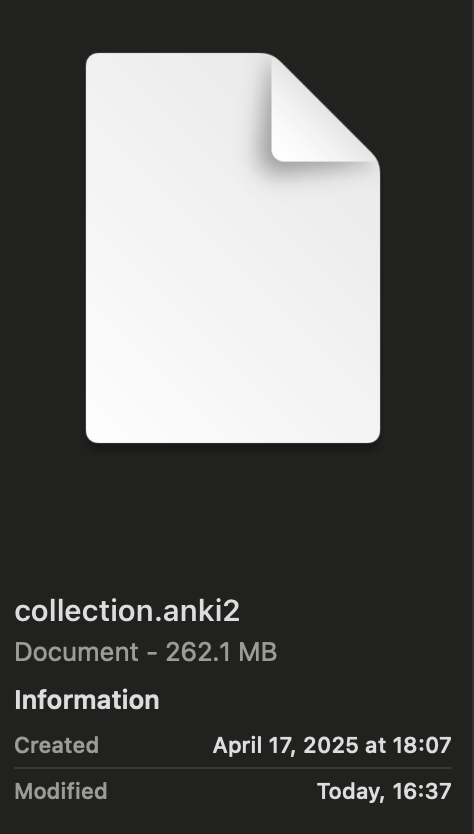
However, collection.anki2 reports the full collection is ~260 MB (was 300MB before some cleanup).
- I ran Check Database and Check Media, and that finally reduced it from ~300 MB → ~260 MB.
- I manually deleted ~40,000 cards (I 200,000 cards → 160,000), but this barely changed the total size. Probably all the cards i deleted were small in text data.
-
I used DB Browser for SQLite to inspect my revlog — I have ~600,000 review log entries, but no “graves”. No idea how much space that would take up.
My concern:
I have not downloaded any large new decks or media recently. So I don’t understand what caused this balloon in size. I am not sure if the update in anki versions would have contributef to this or would be a coincidence? I also am confused why the note size add on shows 80MB but there actually is 260MB - is there a way i can figure out what is causing and get rid of this excess to allow my ankiweb to sync? I can currently sync with no issues from my computer - but for some reason my anki on my phone still wont sync, it still shows the files are too big to be synced. It is almost like it doesnt recognize the fixes ive made on my computer.
My questions:
-
Where might the extra ~180 MB be coming from, if Note Size shows only ~80 MB?
-
Will removing this allow me to sync the anki to my phone?
-
Is it normal for the revlog to grow this large? Could that be the main issue?
-
What is the safest way to permanently reduce collection size long-term, so I don’t keep running into sync problems?
Any guidance would be hugely appreciated, especially before I commit to adding tens of thousands more cards. Thank you!
Edit:
Not sure if this is helpful, but ive also looked into my backups in the Anki2 folder on finder, and they are each about 50MB - so im not sure how my entire collection gets up to 250MB. Although, on a new profile, uploading the backup of 50MB yields a collection of 250MB, so i am unsure what to make of this. I have checked a number of backups from the last year and all of them have been about 300MB, so perhaps my the size of my collection is not an error and I just have a lot of cards with a lot of stuff. I am in medical school and have a ton of content on many of my cards.
Okay i deleted Anki on my phone and redownloaded it, which allowed it to sync and is now on par with my computer. I would love to still figure out the cause of the unknown 180MB so i can reduce this and keep expanding my anki collection without it taking so long to sync and potentially running into these issues in the future.
Im also noticing, syncing on my computer is taking significantly longer than i am used too. I am not sure how long that has been going on. It probably takes 30-40 seconds to sync when it used to be about 10s. Also the sync button remains blue after a sync now, instead of going white like the other buttons near it.
- i think i have fixed this. I have turned off the note size add on and now the sync takes the normal amount of time. Toggling off the add on makes the syncs happen quickly again.
I’ve done a bit more reading and perhaps it could be related to me using FSRS Helper to to reschedule all the cards? i have been using this for about 2 months now. Maybe that is causing the review log to become too large. I am not sure if 600k lines is too big. I read online of some people having over 1 million lines after a number of years of anki. I have done anki for 2-3 hours a day for 2 years averaging close to 1k reviews per day. Not sure if # of lines is as simple as ~ 1,000/day x 365 days/year x 2 years
Alex
screen shot from my phone of syncing issue - hasnt changed even after reducing collection size and syncing on my computer.