Go to add a new card
Enter some text in the front
Activate “Back” edit box
Press command+Z to undo.
Undo steps are appended to each other, instead of being a true stream of reversed steps or newlines are added.
On MacOS 26.2 Anki 25.09.2
It’s not clear what you’re describing. Perhaps you can describe it with more detail. Please also search first to see if your issue has already been reported.
Hello! I did that already when it was suggested before I made my post.
To clarify: follow the steps I provided. Instead of past steps being properly undone, their text is added onto one another or a new line is added. So,
Text A (delete) Text B (delete)
click back side and hit undo button. turns into:
Text B
Text A
instead of properly stepping back to Text B
kaiu
February 27, 2026, 3:07pm
4
joelebutler:
Activate “Back” edit box
Press command+Z to undo.
A new field, almost like a new window. I’m not surprised it’s so hard to undo. If I enter 111 222, then press DEL, then 111, then 222, and move on to the next field, the 111 will never be restored.
abdo
February 27, 2026, 7:33pm
5
The editor has known undo issues:
opened 11:08AM - 09 Aug 21 UTC
editor
Anki 2.1.46 (94913ec2)
Windows 10 21H1
(My English is very bad, these words… below I used translation software, may not be very clear expression, but I hope you can understand)
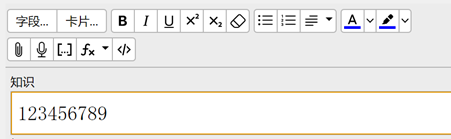
Type some text
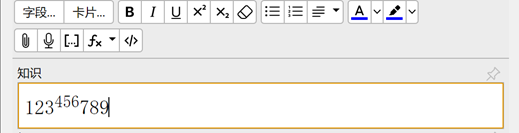
Select some text superscript or subscript
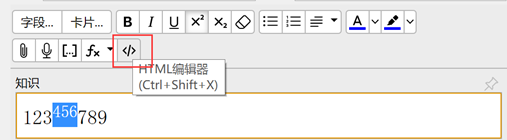
If you click the "HTML Editor" button after superscripting or subscripting some text
Then back
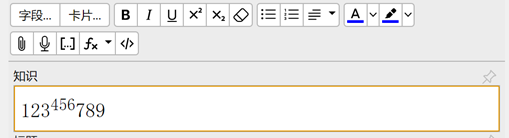
If you try to undo with Ctrl+Z again at this point, something strange will happen
Sometimes the undo will fail, sometimes the text will not be undone properly, but the previously deleted text will reappear.
I recorded a video to show it.
After returning from the "HTML Editor", the first time I pressed Ctrl+Z the text did not change (normally, the 12<sup>34567</sup>89 should be 123456789), and when I pressed Ctrl+Z a second time, the previously deleted 999999 appeared. The third time I pressed Ctrl+Z, the 999999 that had suddenly appeared disappeared.
https://user-images.githubusercontent.com/63684082/128696905-1d87ea76-c335-4f04-ab92-70edbb424637.mp4
opened 05:43AM - 01 Aug 24 UTC
editor
Currently certain operations do not undo correctly, or clear the undo history.
…
Most recent report: https://forums.ankiweb.net/t/in-editor-keyboard-undo-redo-breaks-with-formatted-text-and-loses-history-when-field-unfocused-and-refocused/47688