How can I make the example sentences play automatically when the back of the card is shown? Right now I have to click the purple button to play them.
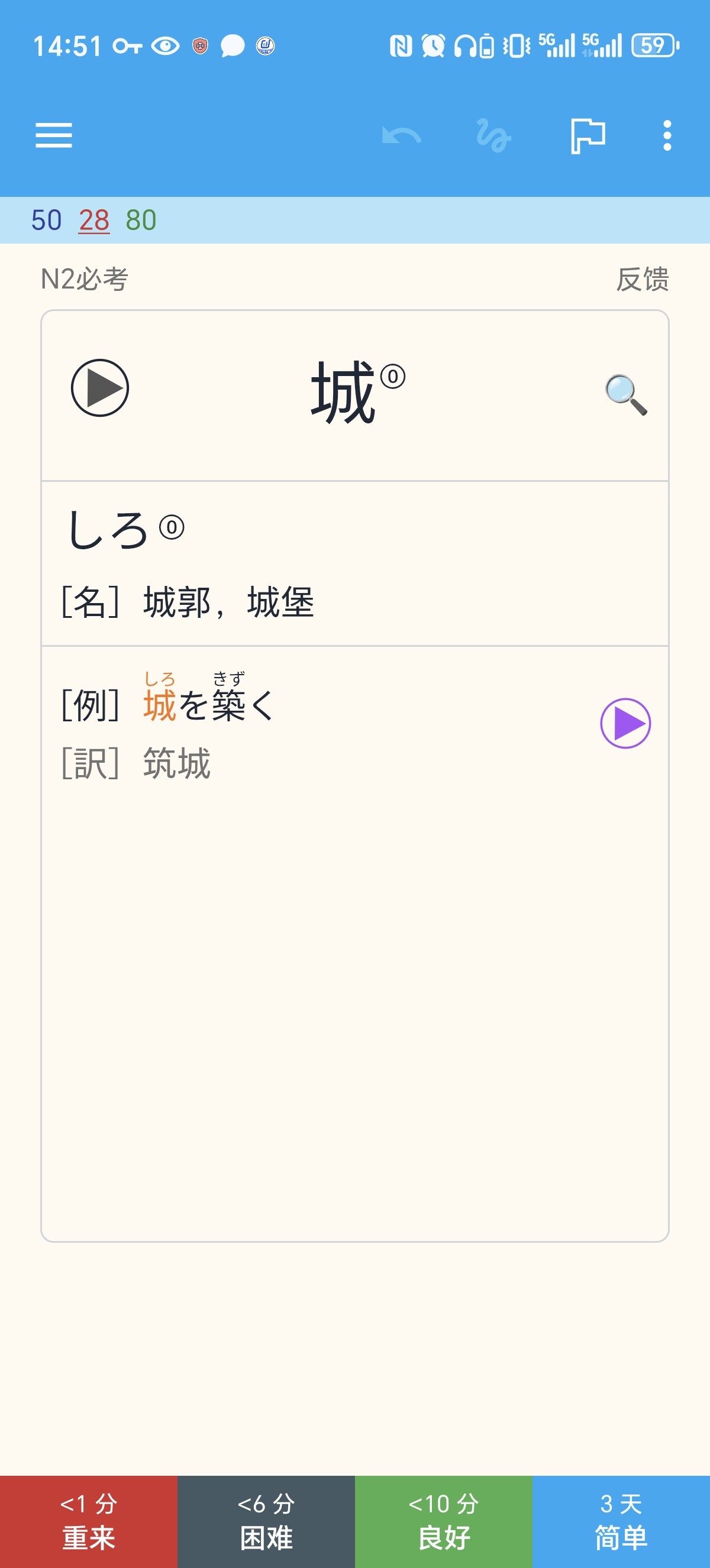
Disable “Don’t play audio automatically” from the deck options.
Thanks for your reply.
I’ve disabled this option,but it doesn’t work.
Maybe the template is doing something weird. You can post the code here for us to see.
I see the example audio {{sentAudio1}} isn’t linked to the file, but I can still play it by clicking the purple button.
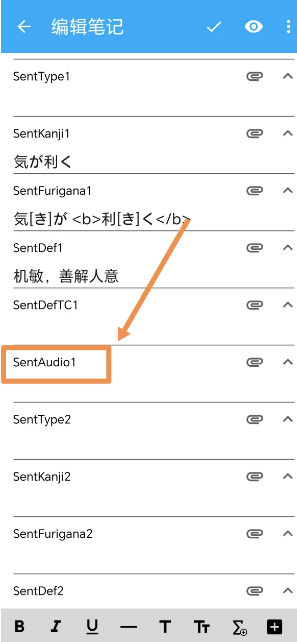
Here’s the code on the back of the card.
<!-- v2024.10.10 -->

<!-- 本卡组永久免费更新,且只在以下链接发布,其余均为盗版 -->

<!-- https://ankiweb.net/shared/info/832276382   -->


<!-- Card1 [日-中] 背面 -->


{{ ^Alt1 }}


{{ FrontSide }}


<div class="VocabAudio !hidden">{{ VocabAudio }}</div>


<main id="BackSide" class="CardSide">

  <section class="Answer">

    <h2 class="VocabFurigana">

      <span lang="ja">{{ kana:VocabFurigana }}</span>

      <span class="VocabPitch">{{ VocabPitch }}</span>

    </h2>


    {{ #VocabPlus }}

    <h3 class="VocabPlus LabelIndent" lang="ja"><em>[補]</em>{{ VocabPlus }}</h3>

    {{ /VocabPlus }}


    <h3 class="VocabPoS LabelIndent2">

      <em lang="ja">[{{ VocabPoS }}]</em><span class="VocabDef">{{ VocabDefCN }}</span>

    </h3>

  </section>


  <ul class="SentenceList">

    {{ #SentKanji1 }}

    <li class="Sentence">

      <div class="SentGroup">

        <h3 class="SentFurigana LabelIndent" lang="ja">

          {{ #SentFurigana1 }}{{ furigana:SentFurigana1 }}{{ /SentFurigana1 }}

          {{ ^SentFurigana1 }}{{ furigana:SentKanji1 }}{{ /SentFurigana1 }}

        </h3>

        <h3 class="SentDef LabelIndent">{{ SentDef1 }}</h3>

      </div>

      <div class="SentAudio">{{ SentAudio1 }}</div>

    </li>

    {{ /SentKanji1 }}


    {{ #SentKanji2 }}

    <li class="Sentence">

      <div class="SentGroup">

        <h3 class="SentFurigana LabelIndent" lang="ja">

          {{ #SentFurigana2 }}{{ furigana:SentFurigana2 }}{{ /SentFurigana2 }}

          {{ ^SentFurigana2 }}{{ furigana:SentKanji2 }}{{ /SentFurigana2 }}

        </h3>

        <h3 class="SentDef LabelIndent">{{ SentDef2 }}</h3>

      </div>

      <div class="SentAudio">{{ furigana:SentAudio2 }}</div>

    </li>

    {{ /SentKanji2 }}


    {{ #SentKanji3 }}

    <li class="Sentence">

      <div class="SentGroup">

        <h3 class="SentFurigana LabelIndent" lang="ja">

          {{ #SentFurigana3 }}{{ furigana:SentFurigana3 }}{{ /SentFurigana3 }}

          {{ ^SentFurigana3 }}{{ furigana:SentKanji3 }}{{ /SentFurigana3 }}

        </h3>

        <h3 class="SentDef LabelIndent">{{ SentDef3 }}</h3>

      </div>

      <div class="SentAudio">{{ SentAudio3 }}</div>

    </li>

    {{ /SentKanji3 }}


    {{ #SentKanji4 }}

    <li class="Sentence">

      <div class="SentGroup">

        <h3 class="SentFurigana LabelIndent" lang="ja">

          {{ #SentFurigana4 }}{{ furigana:SentFurigana4 }}{{ /SentFurigana4 }}

          {{ ^SentFurigana4 }}{{ furigana:SentKanji4 }}{{ /SentFurigana4 }}

        </h3>

        <h3 class="SentDef LabelIndent">{{ SentDef4 }}</h3>

      </div>

      <div class="SentAudio">{{ SentAudio4 }}</div>

    </li>

    {{ /SentKanji4 }}


  </ul>

</main>


<script>

setEdgeTTS()

highlightWords()

audioStylePatch()

hideFrontElements()

typeof onShownHook !== 'undefined' ? onShownHook.push(forcePlayback) : forcePlayback()


// 安卓平台需要重复正面调用的方法

if (isAndroid()) {

  setLang()

  setType()

  markWords()

  removeSpaces()

}

</script>


{{ /Alt1 }}

<script>

/* AJT Japanese JS 24.9.20.3 */

/* DO NOT EDIT! This code will be overwritten by AJT Japanese. */

function ajt__kana_to_moras(text) { return text.match(/.[°゚]?[ァィゥェォャュョぁぃぅぇぉゃゅょ]?/gu); } function ajt__norm_handakuten(text) { return text.replace(/\u{b0}/gu, "\u{309a}"); } function ajt__make_pattern(kana, pitch_type, pitch_num) { const moras = ajt__kana_to_moras(ajt__norm_handakuten(kana)); switch (pitch_type) { case "atamadaka": return ( `<span class="ajt__HL">${moras[0]}</span>` + `<span class="ajt__L">${moras.slice(1).join("")}</span>` + `<span class="ajt__pitch_number_tag">1</span>` ); break; case "heiban": return ( `<span class="ajt__LH">${moras[0]}</span>` + `<span class="ajt__H">${moras.slice(1).join("")}</span>` + `<span class="ajt__pitch_number_tag">0</span>` ); break; case "odaka": return ( `<span class="ajt__LH">${moras[0]}</span>` + `<span class="ajt__HL">${moras.slice(1).join("")}</span>` + `<span class="ajt__pitch_number_tag">${moras.length}</span>` ); break; case "nakadaka": return ( `<span class="ajt__LH">${moras[0]}</span>` + `<span class="ajt__HL">${moras.slice(1, Number(pitch_num)).join("")}</span>` + `<span class="ajt__L">${moras.slice(Number(pitch_num)).join("")}</span>` + `<span class="ajt__pitch_number_tag">${pitch_num}</span>` ); break; } } function ajt__format_new_ruby(kanji, readings) { if (readings.length > 1) { return `<ruby>${ajt__format_new_ruby(kanji, readings.slice(0, -1))}</ruby><rt>${readings.slice(-1)}</rt>`; } else { return `<rb>${kanji}</rb><rt>${readings.join("")}</rt>`; } } function ajt__make_readings_info_tooltip(readings) { const sequence = readings.map((reading) => `<span class="ajt__tooltip-reading">${reading}</span>`).join(""); const wrapper = document.createElement("span"); wrapper.classList.add("ajt__tooltip"); wrapper.insertAdjacentHTML("beforeend", `<span class="ajt__tooltip-text">${sequence}</span>`); return wrapper; } function ajt__reformat_multi_furigana() { const separators = /[\s;,.、・。]+/iu; const max_inline = 2; document.querySelectorAll("ruby:not(ruby ruby)").forEach((ruby) => { try { const kanji = (ruby.querySelector("rb") || ruby.firstChild).textContent.trim(); const readings = ruby .querySelector("rt") .textContent.split(separators) .map((str) => str.trim()) .filter((str) => str.length); if (readings.length > 1) { ruby.innerHTML = ajt__format_new_ruby(kanji, readings.slice(0, max_inline)); } if (readings.length > max_inline) { const wrapper = ajt__make_readings_info_tooltip(readings); ruby.replaceWith(wrapper); wrapper.appendChild(ruby); ajt__adjust_popup_position(wrapper.querySelector(".ajt__tooltip-text")); } } catch (error) { console.error(error); } }); } function ajt__zip(array1, array2) { let zipped = []; const size = Math.min(array1.length, array2.length); for (let i = 0; i < size; i++) { zipped.push([array1[i], array2[i]]); } return zipped; } function ajt__make_accent_list_item(kana_reading, pitch_accent) { const list_item = document.createElement("li"); for (const [reading_part, pitch_part] of ajt__zip(kana_reading.split("・"), pitch_accent.split(","))) { const [pitch_type, pitch_num] = pitch_part.split("-"); const pattern = ajt__make_pattern(reading_part, pitch_type, pitch_num); list_item.insertAdjacentHTML("beforeend", `<span class="ajt__downstep_${pitch_type}">${pattern}</span>`); } return list_item; } function ajt__make_accents_list(ajt_span) { const accents = document.createElement("ul"); for (const accent_group of ajt_span.getAttribute("pitch").split(" ")) { accents.appendChild(ajt__make_accent_list_item(...accent_group.split(":"))); } return accents; } function ajt__popup_cleanup() { for (const popup_elem of document.querySelectorAll(".ajt__info_popup")) { popup_elem.remove(); } } function ajt__adjust_popup_position(popup_div) { const elem_rect = popup_div.getBoundingClientRect(); const right_corner_x = elem_rect.x + elem_rect.width; const overflow_x = right_corner_x - window.innerWidth; if (elem_rect.x < 0) { popup_div.style.left = `calc(50% + ${-elem_rect.x}px + 0.5rem)`; } else if (overflow_x > 0) { popup_div.style.left = `calc(50% - ${overflow_x}px - 0.5rem)`; } else { popup_div.style.left = void 0; } } function ajt__make_popup_div(content) { const frame_top = document.createElement("div"); frame_top.classList.add("ajt__frame_title"); frame_top.innerText = "Information"; const frame_bottom = document.createElement("div"); frame_bottom.classList.add("ajt__frame_content"); frame_bottom.appendChild(content); const popup = document.createElement("div"); popup.classList.add("ajt__info_popup"); popup.appendChild(frame_top); popup.appendChild(frame_bottom); return popup; } function ajt__find_word_info_popup(word_span) { return word_span.querySelector(".ajt__info_popup"); } function ajt__find_popup_x_corners(popup_div) { const elem_rect = popup_div.getBoundingClientRect(); const right_corner_x = elem_rect.x + elem_rect.width; return { x_start: elem_rect.x, x_end: right_corner_x, shifted_x_start: elem_rect.x + elem_rect.width / 2, shifted_x_end: right_corner_x + elem_rect.width / 2, }; } function ajt__word_info_on_mouse_enter(word_span) { const popup_div = ajt__find_word_info_popup(word_span); if (popup_div) { ajt__word_info_on_mouse_leave(word_span); const x_pos = ajt__find_popup_x_corners(popup_div); if (x_pos.x_start < 0) { popup_div.classList.add("ajt__left-corner"); popup_div.style.setProperty("--shift-x", `${Math.ceil(-x_pos.x_start)}px`); } else if (x_pos.shifted_x_end < window.innerWidth) { popup_div.classList.add("ajt__in-middle"); } } } function ajt__word_info_on_mouse_leave(word_span) { const popup_div = ajt__find_word_info_popup(word_span); if (popup_div) { popup_div.classList.remove("ajt__left-corner", "ajt__in-middle"); } } function ajt__create_popups() { for (const [idx, span] of document.querySelectorAll(".ajt__word_info").entries()) { if (span.matches(".jpsentence .background *")) { continue; } const content_ul = ajt__make_accents_list(span); const popup = ajt__make_popup_div(content_ul); popup.setAttribute("ajt__popup_idx", idx); span.setAttribute("ajt__popup_idx", idx); span.appendChild(popup); span.addEventListener("mouseenter", (event) => ajt__word_info_on_mouse_enter(event.currentTarget)); span.addEventListener("mouseleave", (event) => ajt__word_info_on_mouse_leave(event.currentTarget)); } } function ajt__main() { ajt__popup_cleanup(); ajt__create_popups(); ajt__reformat_multi_furigana(); } if (document.readyState === "loading") { document.addEventListener("DOMContentLoaded", ajt__main); } else { ajt__main(); }

</script>
I don’t know what these function calls do, but try to comment them out one by one (by adding a // at the beginning of each line) to see which one is the culprit (if any).
setEdgeTTS()

highlightWords()

audioStylePatch()

hideFrontElements()

typeof onShownHook !== 'undefined' ? onShownHook.push(forcePlayback) : forcePlayback()
The audio connected to the purple button is not a native Anki audio and is inserted by the card scripts instead, which is why it isn’t being processed by the app autoplay function. Unfortunately, there is no good way of combining embedded audio with audio referenced by card templates. There are two workarounds that might work in this case:
-
Add a
.click()JS after the card scripts on the back template to simulate the manual click after a constant delay. Depending on the delay and the duration of the card’s VocabAudio file, this will unavoidably either cut the automatic playback of the VocabAudio or introduce a pause between the VocabAudio and the Sentence audio. Until Anki implements an open API for this, exact control of audio playback will remain unavailable for card templates. -
The other option would be to forgo the card template’s tts function altogether and use native Anki tts. This will likely change the voice in which the sentence is read, but will completely fix the autoplay issue by using only native app functionality. To enable this, you’ll need two things:
- Search for
{{SentAudio1}}on the Back template and replace it with the following code:
{{#SentAudio1}}{{SentAudio1}}{{/SentAudio1}}{{^SentAudio1}}{{tts ja_JP:SentKanji1}}{{/SentAudio1}} - On the Front template, search for the template settings and change
playback: 'force'toplayback: 'default'to prevent the template from interrupting Anki autoplay.
Do this for the other SentAudio fields, if necessary. Also make sure to disable “Don’t play audio automatically” for all subdecks, not just the root deck.
- Search for